Most families do not need more technology. They need the right technology. That is the idea behind this list of the best budget tech upgrades for a busy family. I have tested a lot of devices at my kitchen table in Raleigh, and I have also watched friends and neighbors spend money on gear that promised to simplify family life and then quietly created more work. The difference between a useful upgrade and an expensive mistake usually comes down to one question: does this reduce daily friction, or does it add maintenance?
This guide is not about the newest or the most impressive products. It is about practical family tech product reviews from the perspective of a parent who has already reset the router twice, replaced a cracked tablet screen, and untangled more charging cables than I care to count. I will share the upgrades that have genuinely helped our family, the ones that were worth the money, and the ones I would skip next time. If you are trying to make better budget family tech decisions, this is the place to start.
How I Judge a Budget Tech Upgrade
The Friction Test
Every device that enters our home has to pass what I call the Friction Test. Does it reduce the number of steps in a daily routine, or does it add steps? A Wi-Fi extender that needs a monthly reboot fails this test. A simple charging station that keeps tablets off the kitchen floor passes it. The Friction Test is not about specs. It is about whether the technology makes a Tuesday morning easier.
The Maintenance Test
The second filter is the Maintenance Test. How much work does this device require after the first week? Some budget tech looks great in a store but demands constant updates, subscriptions, or troubleshooting. I would rather spend a little more on something reliable than save money on something that needs weekly attention. That is a core principle of simple technology for busy parents.
The Two-Parent Test
Finally, every upgrade has to pass the Two-Parent Test. Can both adults in the house use it without calling the other for help? If only one parent understands how it works, it is not a family solution. It is a single point of failure. This test has saved us from more than one bad purchase.

The Best Budget Tech Upgrades Worth Buying
A Simple Family Charging Station
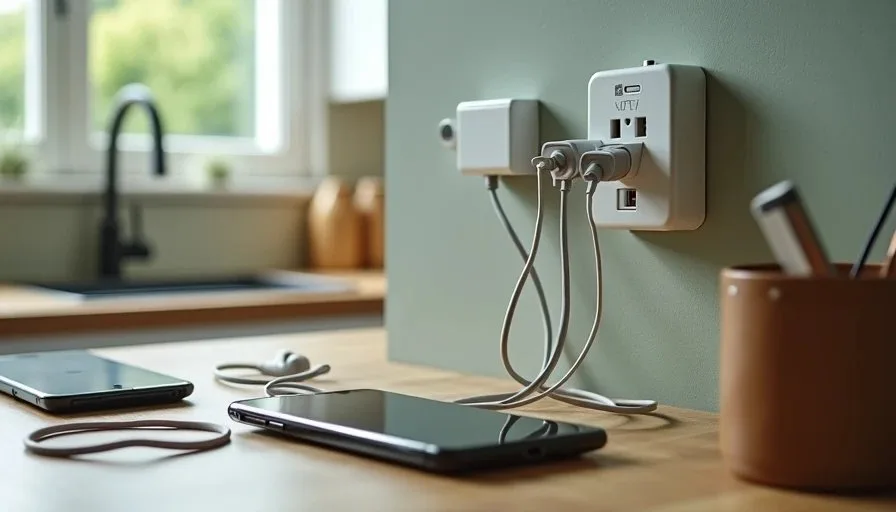
If you buy one thing from this list, make it a family charging station. You do not need a furniture project. A multi-port USB charger, a few labeled cables, and a small basket on a kitchen counter can end the nightly search for chargers. We set this up a few years ago, and it has done more for our family routine than any smart device we own.
The key is to keep it simple. One charger with enough ports for each device. Cables in different colors, labeled with tape or small tags. A fixed spot on the counter where everything lives. When a tablet or phone is not in use, it goes there. That one rule prevents devices from being left on the floor, under couch cushions, or in a child's bedroom overnight.
A Reliable Budget Router or Mesh System
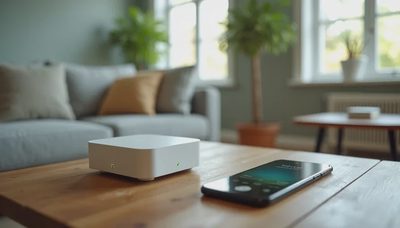
A family Wi-Fi setup is the backbone of everything else in the house. If your current router drops connections, covers only half the house, or needs a reboot every week, a modest upgrade can make a real difference. You do not need the most expensive mesh system on the market. A two-piece mesh kit or a solid mid-range router is often enough for a three-bedroom home.
Before you buy, try moving your existing router. I have seen more than one family solve a Wi-Fi problem by taking the router out of a closet and putting it on a shelf in the open. If that does not work, a budget mesh system with two nodes is usually the next step. Look for something that is easy to set up and manage from a phone app, because both parents need to be able to use it.
A Tablet Stand and a Sturdy Case
A tablet stand and a good case are not exciting purchases, but they protect the device your child uses every day. A stand keeps the tablet at a comfortable angle for video calls, homework, and watching shows. A sturdy case prevents the cracked screens that turn a budget tablet into a repair project. We use a simple adjustable stand in the kitchen and a drop-resistant case on every kids' tablet.
Noise-Canceling Headphones for Kids
If your child does homework in a shared space, a pair of volume-limited noise-canceling headphones can be a genuine upgrade. They help with focus and reduce the need to turn up the volume. Look for a model with a volume cap and a comfortable fit. You do not need premium headphones for this. A reliable budget pair is fine, especially for younger children.
A Family Password Manager
A password manager is not a gadget, but it is one of the best budget tech upgrades for a busy family. It stores passwords, generates strong ones, and shares access between parents. The free versions of many password managers are enough for a family starting out. The paid versions usually add sharing features that make the Two-Parent Test easier to pass.
The important thing is to set it up together, save the master password somewhere safe, and use it consistently. A family password manager guide is on my list of future posts, but the short version is this: pick one, set it up on both parents' phones, and add your most important accounts first.

The Budget Tech Upgrades I Would Skip
Smart Home Devices You Will Not Maintain
Smart plugs, smart bulbs, and smart speakers can be useful, but they also add maintenance. If you are not going to keep up with app updates, account changes, and device resets, a smart home device can become a small source of frustration. I am not against smart home devices for families. I am against buying them because they are on sale and then discovering that nobody wants to manage them.
Before you buy, ask yourself a simple question: what routine will this replace? If you cannot answer that, skip it for now.
Cheap Tablets With Poor Parental Controls
A very cheap tablet can look like a bargain, but the savings often disappear in setup time, poor performance, and weak parental controls. If a tablet cannot run the apps your child needs, or if the parental control system is confusing, it is not really a budget upgrade. It is a future argument. A mid-range tablet from a brand with a clear family setup is usually a better choice.
Subscription Services You Forget to Cancel
A subscription is a budget tech upgrade only if you actually use it. Free trials that turn into monthly charges, streaming services you signed up for one show, and app subscriptions you forgot about all add up. I check our subscriptions every few months and cancel anything we have not used. That habit has saved us more money than any device purchase.
A Second Router Without a Plan
Adding a second router to fix Wi-Fi problems without understanding your home network usually creates more problems than it solves. You can end up with two networks, confusing passwords, and devices that connect to the wrong one. If you need better coverage, a mesh system is usually the cleaner answer. If you are not sure, start by moving your current router and testing the result.
A Simple Budget Tech Plan for This Year
If you want to make a few smart upgrades without overspending, start with the basics. Set up a family charging station. Check your Wi-Fi coverage and move your router if needed. Add a sturdy case and stand to your child's tablet. Set up a family password manager on both parents' phones. Those four steps cover most of the daily friction I see in family homes.
Then, if you still have a budget, consider a budget mesh system or a pair of kids' headphones. Skip the smart home devices and subscription trials until you have a clear routine they will replace. That is how you make budget family tech work for your family instead of adding another thing to manage.
Technology should reduce stress, not add to it. The best budget tech upgrades are the ones you barely notice because they simply work. If a device or service makes your family's day a little smoother and does not demand constant attention, it was worth the money. If it creates weekly work, it was not a bargain, no matter what the price tag said.
Let technology help you live your life—don't let your life revolve around technology.