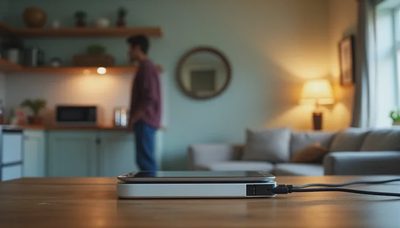
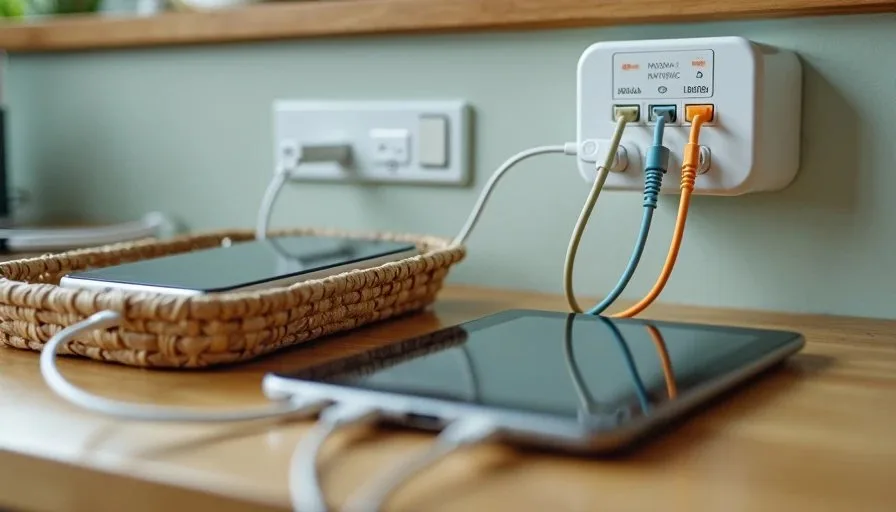
The family charging station is the least glamorous piece of technology in our home, and it may be the most useful. Before we built ours, every night looked the same. Someone could not find a cable. A tablet was left on the couch and died before morning. Miles was using my phone charger because his had disappeared. Morgan and I were tripping over cords on the kitchen counter. None of this was a crisis, but it was daily friction. It made our evenings louder and our mornings harder.
I am Daniel Mercer, and I write about simple technology for busy parents from my kitchen table in Raleigh. I spent more than a decade in IT support, and I can tell you that the most effective solutions are usually the least complicated ones. A family charging station is a good example. You do not need a furniture project, a label maker, or a dedicated tech drawer. You need a clear spot, a good charger, a few labeled cables, and a simple rule that everyone can follow. That is it. This guide will walk you through exactly how we built ours, what we tried that did not work, and how to set up a version that fits your home.
Why a Charging Station Matters More Than You Think
The Hidden Cost of Cable Chaos
Cable chaos is not just messy. It costs time and energy. A missing charger can delay homework. A dead tablet can cause a meltdown at bedtime. A phone left on the floor can get stepped on. These small problems add up, and they usually happen at the worst possible moment. In our house, the nightly charger search was a reliable source of frustration. Building a charging station did not solve every family problem, but it removed one recurring source of friction.
The Two-Parent Test
Like every setup I recommend, the charging station has to pass the Two-Parent Test. Can both Morgan and I manage it without calling each other for help? Can the children use it without constant supervision? If the answer is no, the setup is not finished. A good charging station is simple enough that everyone in the family knows where their device goes and how to plug it in.

What You Need Before You Start
A Clear Spot
The first step is choosing a location. The best spot is a central, visible surface that everyone passes through. In our home, that is the kitchen counter. The kitchen is where we eat, do homework, and pack bags for the next day. A charging station near the kitchen keeps devices in a shared space instead of scattered across bedrooms.
Avoid placing the charging station in a closed cabinet or a drawer. Devices need airflow, and children need to see where their tablet belongs. A closed drawer also makes it easy to forget a device overnight.
A Multi-Port USB Charger
You do not need a fancy charging dock. A multi-port USB charger with enough ports for your family's devices is enough. Look for one with at least four to six ports and enough power to charge a tablet. We use a six-port charger that sits on the counter and plugs into a standard wall outlet. It is not expensive, and it has worked reliably for years.
If you have tablets that charge slowly on standard USB ports, check the charger's power output. A charger that is too weak will leave a tablet at fifty percent by morning. That is a small detail that causes big frustration.
Labeled Cables
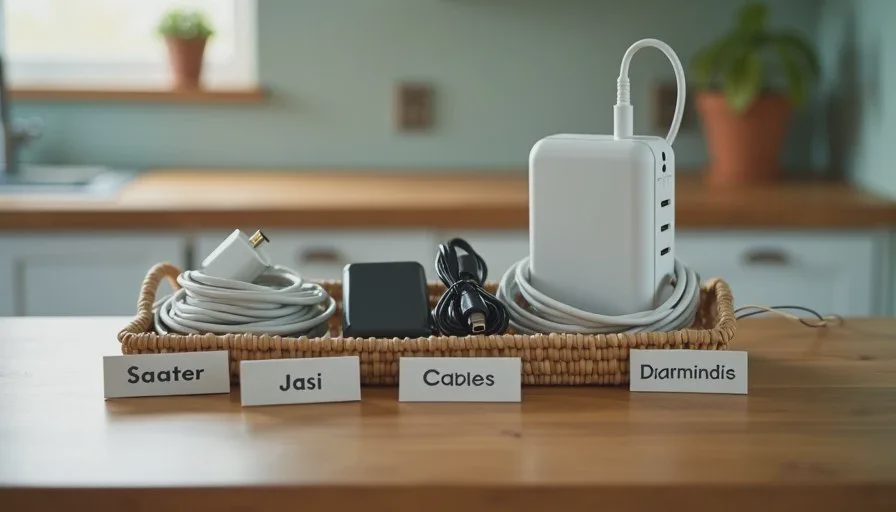
This is the step that makes the biggest difference. Use different colored cables for each family member, or label them with small tags. I use colored tape and a permanent marker. Each cable has a name on it. When a cable goes missing, we know whose it is. When a child needs to charge a tablet, they grab their own cable. This one habit has reduced arguments in our home more than any app or parental control.
A Small Basket or Tray
A small basket or tray keeps spare cables, adapters, and small devices organized. Ours holds a couple of extra cables, a wall adapter for travel, and a small power bank. The basket sits next to the charger, so everything has a place. It is not a furniture project. It is just a container.
How We Built Ours Step by Step
Step 1: Pick the Spot
We chose the kitchen counter near the wall outlet. It is central, visible, and easy to reach. We made sure the spot was not near the sink or the stove, where water and heat could cause problems. We also checked that the outlet could handle the charger without an extension cord. If you need an extension cord, choose one with a surge protector and keep it out of walkways.
Step 2: Set Up the Charger
Plug in the multi-port charger and place it on the counter. Make sure the cables reach the devices comfortably. If the cables are too short, the devices will hang or pull. If they are too long, they will tangle. We use cables that are just long enough to reach the counter without excess.
Step 3: Assign Cables
Assign a cable to each family member and label it. This is simple, but it matters. When everyone has their own cable, there is no confusion and no fighting. If a cable breaks, replace it and label the new one. Keeping a spare cable in the basket makes this easy.
Step 4: Set the Rule
The rule is simple: when a device is not in use, it charges at the station. Phones, tablets, and headphones all live there overnight. Devices do not go to bedrooms overnight unless there is a specific reason. This rule keeps devices off the floor and out of beds, and it makes the morning routine smoother.
Step 5: Test It for a Week
After the first week, check what is working and what is not. Are the cables long enough? Is the charger powerful enough? Does everyone know where their device goes? Adjust as needed. A charging station is not a permanent installation. It is a small system that you can improve over time.
What We Tried That Did Not Work
A Charging Drawer
We tried a charging drawer in the kitchen. It looked tidy, but it created problems. The devices got warm, and the cables were hidden, so nobody knew which cable was theirs. Children forgot to put devices back because the drawer was closed. The visible counter setup worked better for us.
A Wall-Mounted Rack
A wall-mounted charging rack sounds efficient, but it did not fit our space. The outlets were not in the right place, and the rack made the kitchen feel cluttered. If your outlets are in a convenient spot, a wall rack can work. For us, a simple counter setup was easier.
Individual Chargers in Bedrooms
We tried letting each child charge devices in their bedroom. This led to devices being used late at night and left on the floor. Moving the charging station to a shared space made it easier to see when devices were plugged in and when screen time ended. For younger children, a shared charging station is usually the better choice.
Making the Station Work for Your Family
Keep It Simple
The best charging station is the one your family will actually use. Do not overcomplicate it. One charger, labeled cables, a small basket, and a clear rule are enough. If the setup requires a manual, it is too complicated.
Involve the Children
Let your children help set up their own cables and labels. When they are part of the process, they are more likely to follow the rule. Avery chose her cable color and wrote her name on the tag. That small act of ownership made a difference.
Review It Every Few Months
Devices change. Cables wear out. Children grow. Every few months, check the station. Replace damaged cables, add a port if needed, and adjust the rule if it is not working. A charging station is a living system, not a one-time project.
A Small Change With a Big Effect
A family charging station will not fix every digital problem in your home. It will not replace parental controls or screen time rules. But it will remove one recurring source of friction. It will keep devices off the floor, reduce the nightly charger search, and give everyone a clear place to plug in. Those small wins add up.
If your evenings feel louder than they should, start with a charging station. Pick a spot. Plug in a charger. Label the cables. Set the rule. Give it a week. You may find that the simplest solution is the one that finally works.
Let technology help you live your life—don't let your life revolve around technology.