
I have written about screen time rules that work, but I had never actually studied our own family's data. Like many parents, I had a general sense of how much time my kids spent on screens. I knew Avery, 8, loved drawing apps. I knew Miles, 5, would watch the same cartoon episode three times in a row. But I did not know the details. So I decided to spend one week looking at the kids' screen-time reports that our family tablet and parental controls already collect. I did not change any rules that week. I just watched and took notes. What I learned surprised me, and it changed how we approach screen time at our kitchen table in Raleigh.
This is not a scientific study. It is one parent's week of paying attention. I am Daniel Mercer, and I write about family technology from the perspective of someone who spent a decade in IT support and now tries to make home tech simpler for busy families. The screen-time reports were already there, built into the tablet and the parental control app we use. I had ignored them for months. That week, I finally read them.
Why I Decided to Look at the Reports
The Guesswork Was Not Working
Our family had screen time rules, but they were vague. "Not too much." "Finish homework first." "No tablets at dinner." Those rules sounded reasonable, but they did not answer the questions that came up in real life. Could Avery watch one more episode if she had already read for twenty minutes? Was Miles's drawing app "screen time" in the same way a video was? I was making decisions in the moment, and I was not consistent. Morgan and I sometimes disagreed, not because we had different values, but because we had different guesses about what was actually happening.
The Reports Were Already There
Most family tablets and parental control apps collect screen-time data. Google Family Link, Apple Screen Time, and Amazon Kids all offer weekly reports. I had set up these tools when we first got the tablet, but I had never looked at the reports carefully. That week, I opened them every evening and wrote down what I saw. I did not share the reports with the kids yet. I wanted to understand the patterns first.
What the Reports Actually Showed
The Hours Were Not the Whole Story
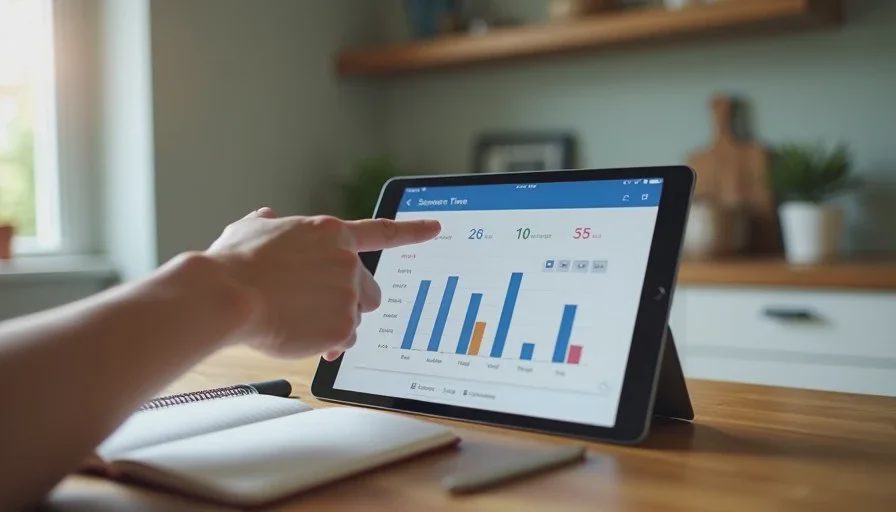
The first thing I noticed was that total hours did not tell me much. Avery's total screen time was higher than I expected, but most of it was drawing and reading apps. Miles's total was lower, but almost all of it was video. If I had only looked at the total, I would have missed the difference. A drawing app and a video app are not the same kind of screen time, even if the clock counts them the same way.
The Time of Day Mattered More Than the Total
The second surprise was when the screen time happened. Avery used her tablet mostly after school, between 4 p.m. and 5 p.m., and then again for about twenty minutes before bed. Miles used his tablet in the morning, right after breakfast, and in the late afternoon. The morning use was the one that affected our routine most. On days when Miles watched a video before school, he was harder to move toward the door. On days when he did not, the morning went more smoothly. The report did not tell me that directly, but the pattern was clear when I compared the data with my own notes.
The "Educational" Label Problem
Some apps are labeled educational. Some are not. The reports did not always make that distinction clear. I found myself asking a better question: what was my child actually doing? Was Avery creating something, or was she watching someone else create? Was Miles learning a song, or was he passively watching the same clip repeatedly? The label on the app mattered less than the activity inside it.
What the Reports Got Wrong
Numbers Without Context
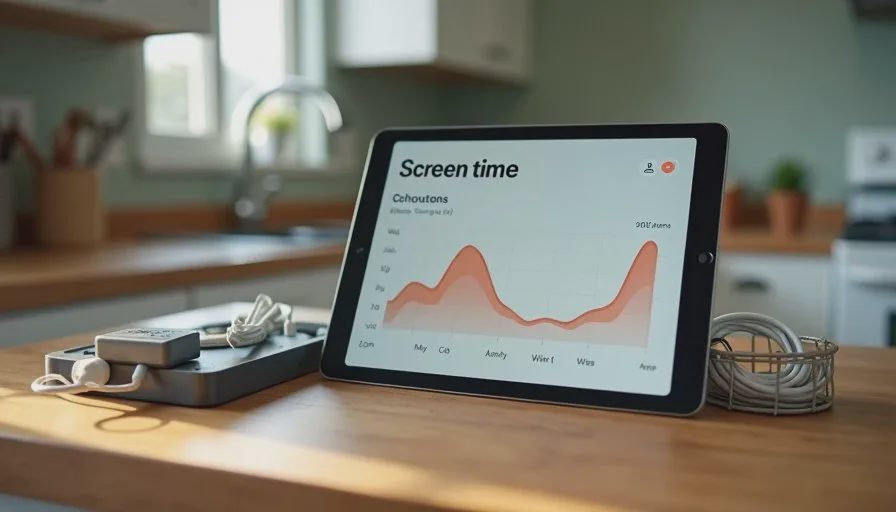
Screen-time reports are good at counting minutes. They are not good at measuring attention, mood, or learning. A child can spend thirty minutes on a drawing app and create something they are proud of. Another child can spend thirty minutes scrolling through videos and feel restless afterward. The report shows the same number. As a parent, I needed to add the context myself.
One Child's Data Is Not the Other's
Avery and Miles are different people. Avery likes to finish what she starts. Miles likes to switch activities often. The same rule did not fit both of them. The reports made that obvious. Avery's screen time was mostly one or two longer sessions. Miles's was many short sessions. A rule that worked for Avery—"finish one activity before switching"—was frustrating for Miles. I needed to adjust.
The Reports Do Not Capture Off-Screen Time
The reports only show what happens on the device. They do not show the reading, building, drawing, or outdoor play that happens away from the screen. That week, I started writing down off-screen activities too, just to keep the picture balanced. The reports were useful, but they were not the whole story.
How We Changed Our Rules
From Time Limits to Routine Anchors
After that week, we moved away from strict time limits and toward routine anchors. Instead of saying "thirty minutes of screen time," we said "tablet after homework and before dinner." Instead of counting minutes, we focused on when screens fit into the day. This worked better for our family because it was easier to remember and easier to enforce. The tablet became part of the routine, not a separate negotiation.
The Shared Charging Station Effect
We had already set up a family charging station in the kitchen. That week, I realized how much it helped. Because devices charge in a shared space, I could see when they were being used and when they were put away. The charging station also made it easier to enforce the "no tablets in bedrooms overnight" rule. The reports showed that most of the late-night use happened when a device was in a bedroom. Moving the charging spot to the kitchen reduced that almost immediately.
A Weekly Check-In Instead of Daily Policing
Instead of checking the reports every day, we now do a short weekly check-in. Morgan and I look at the reports together on Sunday evening. We talk about what worked and what did not. We adjust one thing at a time. This habit takes ten minutes and has replaced a lot of daily friction. We are not policing every minute. We are looking for patterns and making small changes.
What I'd Tell Other Parents
Look for Patterns, Not Perfect Numbers
Do not get stuck on the total minutes. Look for patterns. When is screen time happening? What apps are being used? How does your child behave afterward? Those questions matter more than the exact number of minutes. The reports are a starting point, not a scorecard.
Talk to Your Kids About the Data
After my week of observation, I showed Avery and Miles the reports in a simple way. I did not use them as evidence against them. I used them to start a conversation. "I noticed you draw a lot in the afternoon. What do you like about that app?" That conversation gave me more information than the report did. It also helped my kids feel involved in the rules instead of controlled by them.
Keep It Flexible
Screen time rules should change as children grow. What works for a 5-year-old will not work for an 8-year-old, and what works for an 8-year-old will not work for a teenager. The reports help you see when a rule is no longer fitting. Be willing to adjust. The goal is not a perfect system. The goal is a family that uses technology in a way that feels healthy and manageable.
A Week Later: What Stuck
The biggest change was not a new rule. It was a new habit of paying attention. I still check the reports, but not every day. I look for changes and patterns. Morgan and I talk about screen time more calmly because we are looking at the same information. The kids know that the rules are based on what we see, not on a random guess.
I do not regret the week I spent reading those reports. It taught me that screen time is not one thing. It is many different activities, at different times, with different effects. The reports gave me a clearer picture, and that clarity made our family rules better. If you have screen-time reports on your family devices, take a week to actually read them. You may be surprised by what you learn.
Let technology help you live your life—don't let your life revolve around technology.