

I’m Daniel Mercer, and I started Mercer Home Tech because I believe family technology tips should make your life easier, not turn your house into a gadget showroom. I live in Raleigh, North Carolina, with my wife Morgan and our two children, Avery, 8, and Miles, 5. I spent more than a decade supporting devices, networks, accounts, and security systems for a mid-sized healthcare organization. Now I write about simple technology for busy parents who want their home tech to work without becoming a second job.
This blog exists for a specific kind of reader: the parent who uses smartphones, tablets, Wi-Fi, streaming services, smart-home devices, educational apps, and AI tools, but does not want to become a full-time IT administrator. If that sounds like you, welcome. Pull up a chair at Daniel’s Kitchen Table. We have a lot to talk about.
The Moment I Realized We Needed a Different Approach
A Tuesday Morning That Went Sideways
A few years ago, I had one of those Tuesday mornings that every parent knows. Avery could not find her tablet. Miles was convinced the Wi-Fi was “broken” because his cartoon would not load. Morgan was trying to pay a bill on her phone, but the password manager kept asking for a master password she had not used in months. I was standing in the kitchen, coffee getting cold, trying to remember which child had changed which setting.
Nothing was truly broken. But everything was just complicated enough to create friction. That morning taught me a lesson I have carried into every review, guide, and checklist on this site: a technology setup is only successful if a tired parent can understand it, maintain it, and explain it to a child.
The Problem With Most Tech Advice
Most technology advice online is written for people who enjoy technology as a hobby. That is fine for them. But many parents do not need another enthusiast forum. They need plain answers. They need to know which router setting matters, which parental control actually helps, and which device will survive a school year without turning into a repair project.
That is the gap Mercer Home Tech is meant to fill. This is a family tech blog, but it is not about chasing every new release. It is about choosing, securing, and actually using technology in a home where people are busy, tired, and occasionally spilled on.
What This Blog Will Cover
The Family Setup
The first category is The Family Setup. These are practical guides for configuring phones, tablets, Wi-Fi, accounts, streaming services, and household devices so the whole family can use them. You will find step-by-step articles like how to build a family Wi-Fi setup plan before blaming the router, or how to set up a child’s first tablet without creating three new password problems. The goal is not perfection. The goal is a setup that works on a school morning.
Safe by Default
The second category is Safe by Default. This covers parental controls, account security, privacy settings, scams, online safety, and children’s digital habits. I write about home internet safety for children without making the internet sound terrifying. I also cover how to secure a child’s phone, how to explain phishing to an eight-year-old, and which privacy settings to check on every app. Safety should be built into the default setup, not added as an emergency later.
Worth It at Home
The third category is Worth It at Home. These are family-focused reviews and comparisons of phones, tablets, headphones, smart-home devices, apps, and services. I test products in a real home, with real kids, during real school weeks. I care about setup time, reliability, privacy, child usability, total cost, and whether both parents can manage the technology. A device that looks impressive in a store but creates daily friction at home is not worth it for most families.
Less Tech, Better Days
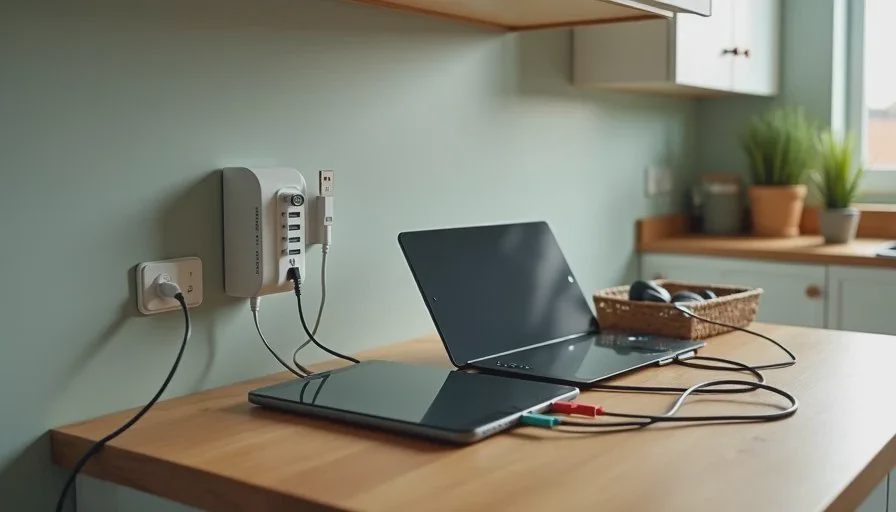
The fourth category is Less Tech, Better Days. This is where I write about reducing digital friction, simplifying routines, using automation carefully, and making technology serve family life. You will find screen time rules that work, family charging station ideas, notification detox experiments, and simple automations that help parents without taking over. Sometimes the best family technology tip is the one that removes a step.
Daniel’s Kitchen Table
The fifth category is Daniel’s Kitchen Table. This is where I share personal stories, family experiments, opinion pieces, and humorous lessons from living with technology. It is the column you are reading right now. Some posts will be useful. Some will be me admitting that my daughter’s tablet knew more about our Wi-Fi than I did. Both kinds belong here.

What I Won’t Do
No Fear-Based Advice
I will not tell you that your child will fall behind without the newest device. I will not use fear to sell a product or a parenting style. Technology changes quickly, but good judgment does not. My goal is to help you make calm decisions, not anxious ones.
No Gadget Showroom
I will not chase expensive enthusiast hardware that most families do not need. A three-bedroom house usually does not need an enterprise-grade network. A five-year-old does not need a flagship phone. I would rather help you spend less and get more reliability.
No Specs Over Sanity
I will not turn every family tech product review into a specification contest. Specs matter, but they are not the whole story. Setup effort matters. Maintenance matters. The cost of repairs, subscriptions, and replacement parts matters. If a feature sounds nice but adds weekly work, I will tell you that plainly.
The Two-Parent Test and Other Practical Filters
The Two-Parent Test
Every device or service I recommend has to pass what I call the Two-Parent Test. Can both adults in the house manage it? If only one person understands the setup, it is not really a family solution. It is a single point of failure. That test shapes everything from password managers to parental controls.
The Tuesday Morning Test
I also use the Tuesday Morning Test. Imagine it is 7:15 a.m. A child cannot find a charger. Another child needs the Wi-Fi password. Someone has a deadline. Does the technology help, or does it add one more problem? If a setup only works when everyone is calm and organized, it is not ready for a real family.
The Maintenance Test
Finally, there is the Maintenance Test. How much work does this device or service require after the first week? Updates, subscriptions, battery replacements, account recovery, and privacy changes all count. A family technology setup should not need a weekly troubleshooting session. If it does, I will say so.
A Simple Technology Checklist for Busy Parents
If you are new here, start with a short technology safety checklist for parents. You do not need to fix everything in one weekend. Pick one area and make it better.
First, look at your family Wi-Fi setup. Where is the router? Is it in a closet, behind a television, or on the floor? A simple move can improve coverage more than a new purchase. Second, review parental controls on the devices your children use most. Check app permissions, screen time settings, and purchase approvals. Third, set up a family password manager. You do not need a complicated system. You need one that both parents can open and use.
Fourth, talk about screen time rules that work for your family. Rules that are too strict often collapse. Rules that are too vague often cause arguments. A useful rule is specific, flexible, and easy to repeat. Fifth, write down the important account recovery information and store it somewhere safe. That one step can save hours later.
What You Can Expect from Mercer Home Tech
Honest Reviews
You can expect honest family tech product reviews. I test devices with my family, and I share the good and the annoying. If a tablet has a great screen but a terrible charging port, you will hear about it. If a smart speaker is useful but raises privacy questions, I will cover that too.
Real Setup Guides
You can expect real setup guides, not just quick tips. I will walk through the steps, the settings, and the mistakes I made first. I will show you what the process looks like on a Tuesday morning, not in a perfect laboratory.
Family-First Security
You can expect family-first security advice. That means practical steps for account security, privacy, and online safety without turning your home into a surveillance state. The goal is protection, not paranoia.
Let Technology Help You Live Your Life
I started Mercer Home Tech because I believe family technology tips should reduce stress, not add to it. I am not here to sell you a new identity or convince you that your family is falling behind. I am here to help you choose, secure, and use the technology you already have.
If you are tired of tech advice that assumes you have unlimited time, money, and patience, this blog is for you. We will keep it practical. We will keep it honest. And we will remember that the point of home technology is not the technology. It is the home.
Let technology help you live your life—don’t let your life revolve around technology.