

A shared family calendar is one of those tools that sounds obvious until you try to make it work. You create the calendar. You add a few events. Then someone forgets to check it, a practice gets missed, and everyone goes back to asking each other what is happening today. I have set up family calendars more than once in our home in Raleigh, and I have learned that the tool is not the hard part. The hard part is building a routine where people actually look at it.
I am Daniel Mercer, and I write about family technology from my kitchen table. I spent more than a decade in IT support, and I can tell you that the same principle applies to calendars as to routers and tablets: a system is only useful if the people in the house can use it without thinking. A shared family calendar should reduce the number of times you ask, “What time is that?” It should not become another app that everyone ignores.
This guide is part of The Family Setup series. The goal is a calendar that works on a busy Tuesday, not a perfect system that collapses after a week. I will cover why most family calendars fail, how to choose the right tool, how to set it up step by step, and how to build the small routines that make it stick.
Why Most Family Calendars Fail
Too Many Calendars, Too Many Places
The first reason family calendars fail is fragmentation. One parent uses a work calendar. The other uses a personal calendar. School events arrive by email. Sports schedules come in a group chat. Appointments live on a fridge note. When information is scattered, no single calendar can be trusted. People stop checking because they never know if the calendar is complete.
No Shared Routine for Checking
The second reason is that nobody checks the calendar at the same time. A calendar is only useful if it becomes part of a routine. If one parent checks it in the morning and the other checks it at night, they may see different things. If the children never look at it, they cannot take responsibility for their own events. A shared calendar needs a shared moment.
Over-Notification and Fatigue
The third reason is notification overload. When every event sends three reminders, people start ignoring all of them. The calendar becomes noise instead of signal. A good family calendar uses notifications sparingly. It tells you what you need to know, when you need to know it, and nothing more.

Choosing the Right Calendar Tool for Your Family
Start With What You Already Use
You do not need a new app. Most families already have a calendar on their phones. Google Calendar, Apple Calendar, and Outlook all support shared calendars. If your family uses a mix of devices, Google Calendar is often the easiest common ground because it works on both Android and iOS. If everyone uses Apple devices, Apple Calendar with Family Sharing is a natural fit.
Consider a Family-Specific App
Some families prefer a dedicated family organizer app like Cozi or TimeTree. These apps often include color coding, lists, and a shared inbox. They can be helpful, but they also add another app to check. If you already have a calendar that everyone uses, start there. Adding a second tool often makes the problem worse.
The Two-Parent Test
Whatever tool you choose, it has to pass the Two-Parent Test. Can both parents open the calendar, add an event, and see the same information? If only one parent can manage it, the calendar is not a family solution. Set it up together, on both phones, before you rely on it.
How to Set Up a Shared Family Calendar Step by Step
Step 1: Create One Shared Calendar
Do not create five calendars for five categories. Start with one shared calendar for family events. Name it something clear, like “Family” or “Mercer Family.” Give both parents edit access. This is the calendar that holds practices, appointments, school events, and family plans.
If you need separate calendars for work or personal items, keep them separate but visible. The shared family calendar should be the one everyone checks first.
Step 2: Use Color Coding That Makes Sense
Color coding helps people find information quickly. Assign a color to each family member. Avery might be purple. Miles might be green. Morgan might be blue. Events that involve the whole family can be a neutral color. Keep the palette simple. If you use too many colors, they stop being useful.
Step 3: Add Recurring Events and Reminders
Add the events that happen every week: school drop-off, piano practice, soccer, library day. Recurring events save time and reduce the chance of forgetting. For one-time events, add them as soon as you learn about them. Do not wait until you have all the details. A rough entry is better than no entry.
Step 4: Set Notifications Without Overloading Everyone
Notifications should be helpful, not constant. For most events, a reminder the night before is enough. For early morning events, add a second reminder. Turn off notifications for events that do not need them. If the calendar sends too many alerts, people will silence it entirely.
Step 5: Get the Whole Family Involved
Children can and should participate. For younger children, you can add their events for them. For older children, teach them to check the calendar and add their own activities. A teenager who adds their own work schedule is more likely to remember it. The goal is shared responsibility, not a parent-managed master list.
Making the Calendar Part of the Routine
The Sunday Evening Check-In
The single most effective habit we added was a short Sunday evening check-in. Morgan and I sit down for ten minutes and look at the week ahead. We confirm who is driving to which practice, what appointments are coming, and what needs to be prepared. The children join for a few minutes to hear the plan. This one routine has prevented more scheduling conflicts than any app feature.
A Kitchen Display or Smart Speaker
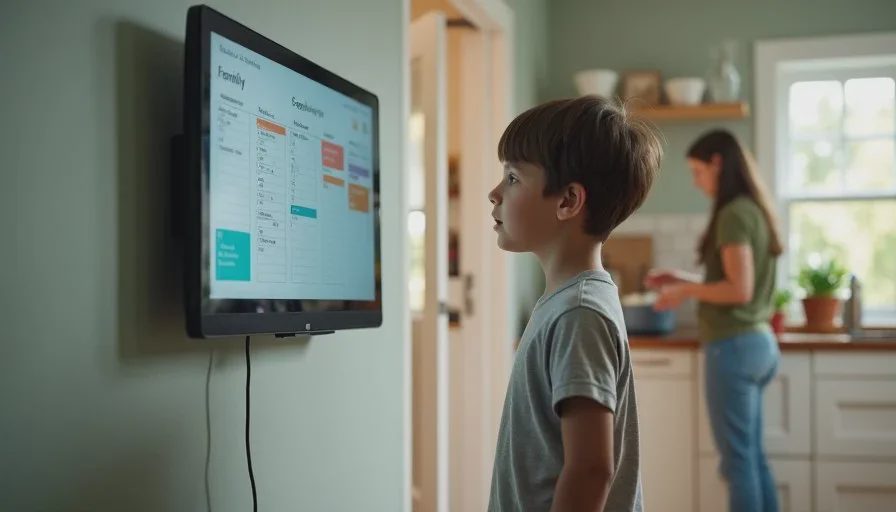
A visible calendar helps everyone. We use a smart display in the kitchen that shows the family calendar. It is not a fancy device, but it means the schedule is always in view. If you do not want a smart display, a printed weekly calendar on the fridge works just as well. The key is visibility. A calendar hidden in an app is easy to forget.
A Shared Morning Reminder
A simple morning reminder can help children remember what they need. We use a short announcement at 7:20 that says, “Check the calendar before you leave.” It is not a detailed list. It is a prompt to look. Over time, the children have started checking on their own.
Common Mistakes to Avoid
Adding Too Many Events
A calendar full of every small task becomes unreadable. Keep the family calendar for events that involve other people or have a specific time. Grocery lists and chores belong elsewhere. If everything is on the calendar, nothing stands out.
Forgetting to Update It
An outdated calendar is worse than no calendar because it creates false confidence. When plans change, update the calendar immediately. Make it a habit. If you cancel a practice, remove it. If a time changes, change it. The calendar is only as good as its accuracy.
Relying on One Parent
If only one parent adds events, the other parent is always behind. Both parents should be able to add and edit events. This is the Two-Parent Test again. A shared calendar should be shared in practice, not just in name.
Ignoring the Children’s Input
Children often know about events before parents do. A permission slip, a friend’s birthday party, a school project. If the children cannot add events, the calendar misses information. Give older children edit access. For younger children, create a simple routine where they tell a parent about new events.
What Our Family Calendar Looks Like Now
Our family calendar is not perfect. It still gets messy during busy seasons. But it is used every day. Morgan and I both add events. Avery checks it before asking for a playdate. Miles knows that soccer is on the calendar. The Sunday check-in has become a small family ritual.
The biggest change was not the tool. It was the routine. We stopped treating the calendar as an app and started treating it as a shared plan. That shift made the difference.
A Simple Starting Plan
If you want to set up a shared family calendar this week, start small. Create one shared calendar. Invite both parents. Add the recurring events for the next month. Set a reminder for the night before. Then hold a ten-minute check-in on Sunday. Do not try to add everything at once. Build the habit first, then expand.
A family calendar will not solve every scheduling problem. But it will reduce the number of times you ask, “What is happening today?” It will give everyone a shared reference point. And it will make the week a little calmer. That is worth the effort.
Let technology help you live your life—don't let your life revolve around technology.